For surgeons who plan in VPOP PRO
Coming from VPOP Pro?
Librevet plans the same surgery on the same films — TPA, TPLO, wedge, fracture, plate — in the browser, free for every vet. This page says what is the same, what is different, and where VPOP is still ahead.
No card · No installation · Your VPOP cases stay where they are
The short version
Three things are different on the first afternoon. The rest will feel familiar.
Planning is free
Every planning and measurement tool, for every vet, with no card. VPOP charges each surgeon £15 a month to plan, or £25 with its report editor; its free plan is for referring vets and does not plan.
It does the placing for you
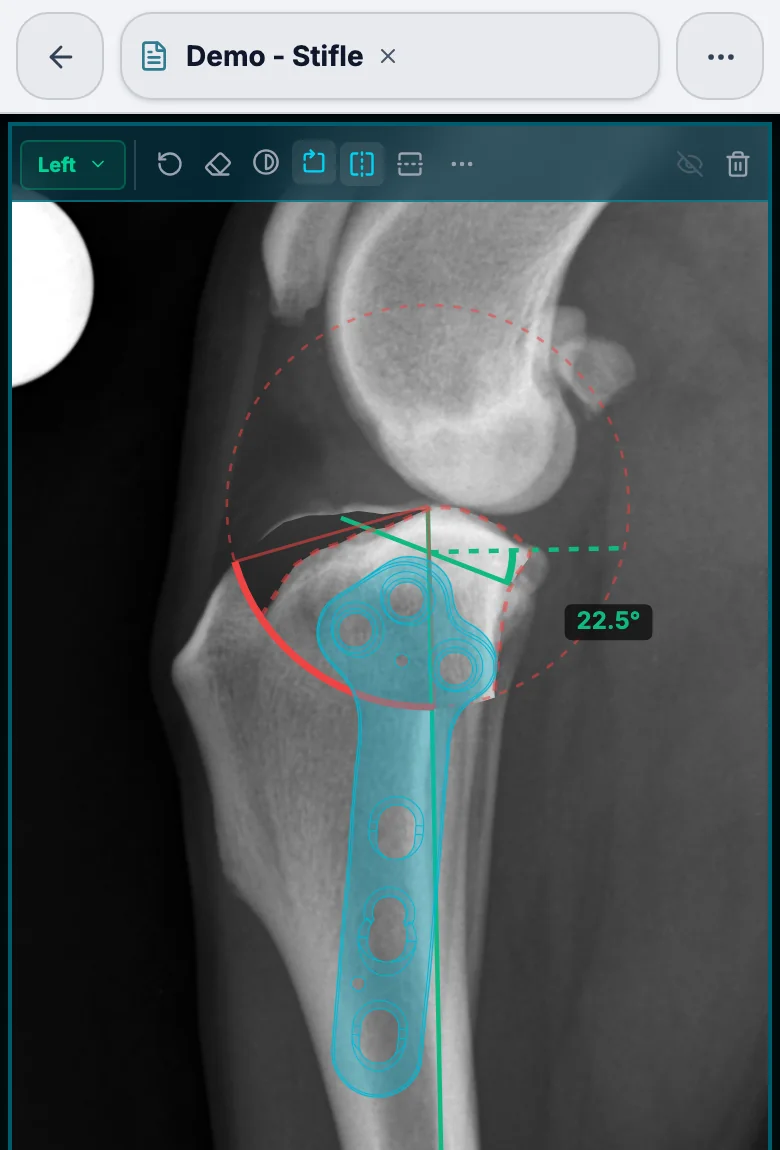
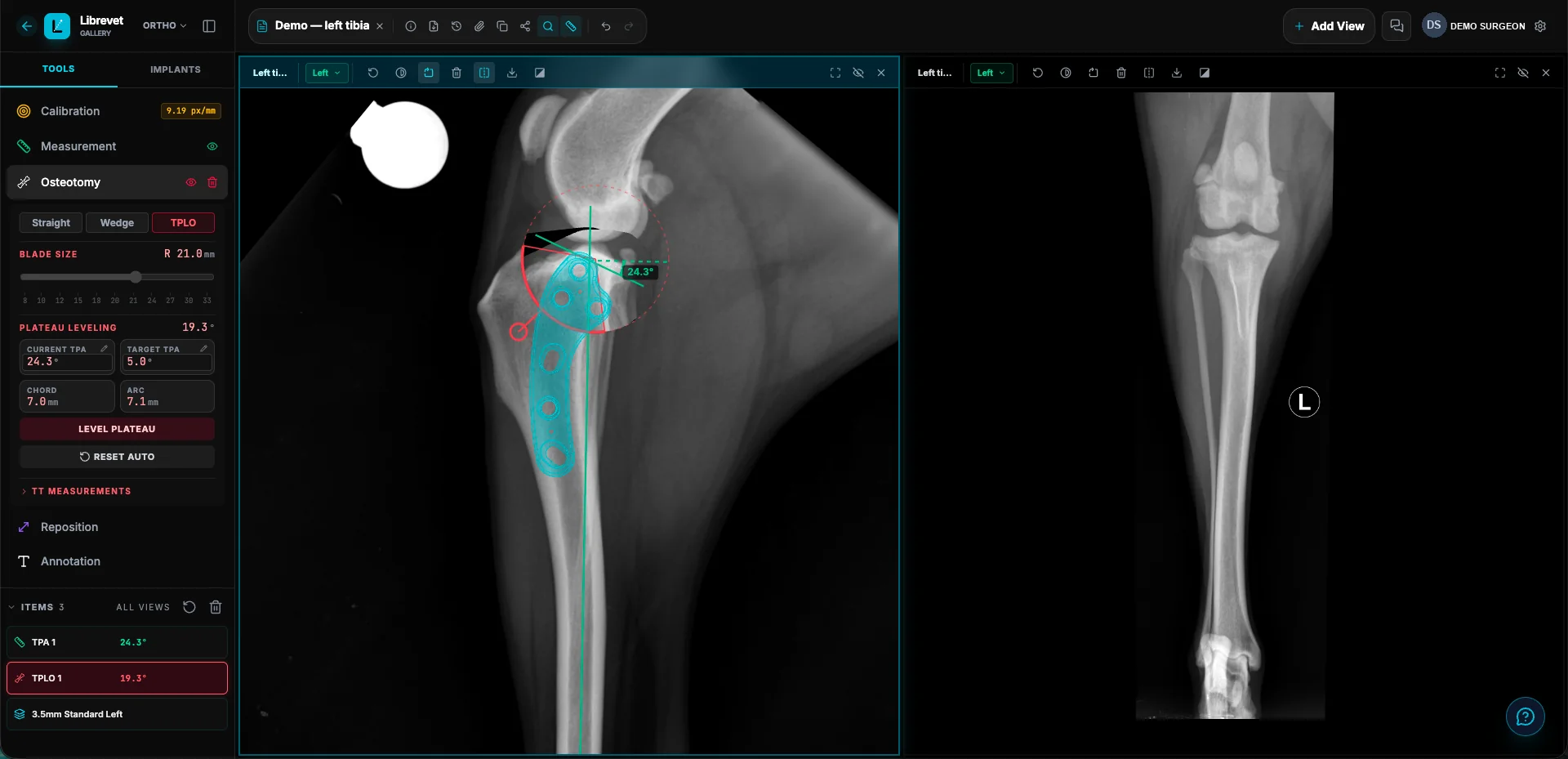
Films are named for what they show as they arrive. Press TPA, Norberg or CORA and it is placed; press TPLO and the cut is placed with its blade chosen; press Wedge and the closing wedge lands from the CORA. Everything arrives selected, ready to adjust, and the models run on your own computer.
Everyone draws at once
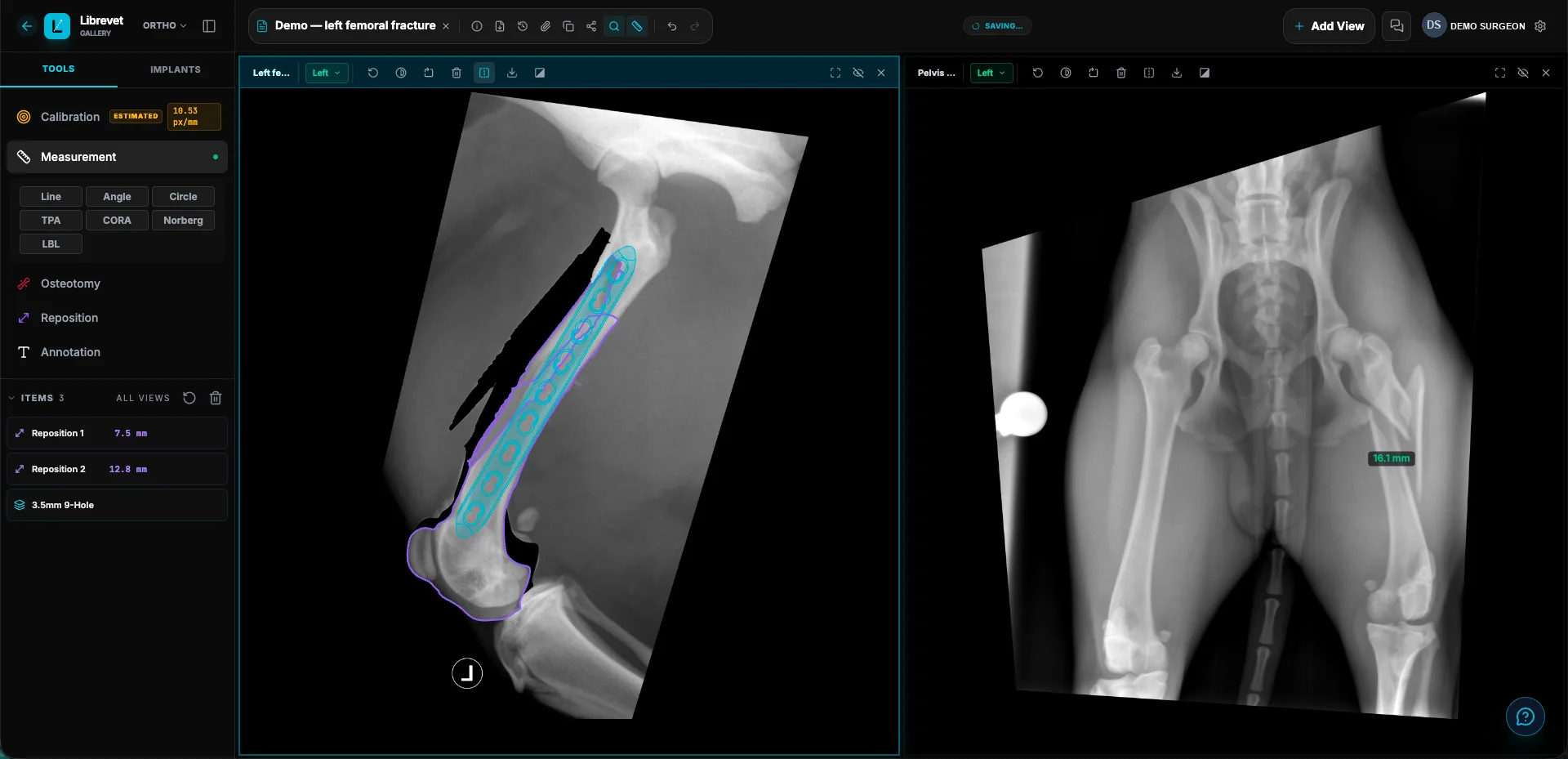
Name a colleague on a case and you both work the same films at the same time, each change credited to whoever made it. A referral link shows the case as it stands, to a vet who needs no account.
Where VPOP is still ahead
VPOP PRO has been the standard for years for good reasons, and pretending otherwise would not help you choose. The one thing it has that Librevet does not, yet, is a far bigger branded implant library: VPOP says it carries thousands of implants from 32 manufacturers, redrawn by hand.
Librevet's library is younger. It is built to carry any manufacturer's templates, drawn from the maker's own dimensions, and any supplier can list its range free — but if the plate you use is not there yet, that is the first thing to check.
If your supplier's plates are missing, they can list them free and we draw the templates: how listing works.
Where Librevet is ahead
- ✓ Free to plan, for every vet, on every plan.
- ✓ The TPA, the Norberg angle, the CORA, the TPLO cut and the closing wedge placed for you when you press the tool — you adjust, rather than place from nothing.
- ✓ The calibration ball found on import. Every film is checked for a ball as it arrives; if the app is unsure, one click inside the ball measures it.
- ✓ Colleagues in the same plan at the same time, with every change credited to the person who made it, and a version history and audit trail behind each case.
- ✓ Films arrive by themselves. Your X-ray console or PACS sends straight to Librevet over standard DICOM, referring vets email films to your practice's own address, and a ZIP or a DICOM dropped on the case just opens.
- ✓ One account for the practice on a paid plan, with no limit on how many people sign in to it, and the case belonging to the practice rather than to whoever took the film.
Side by side
VPOP PRO's column is what its own website says, and what we found using the current version. A dash means we found it in neither. In development means we are building it now and it is not in the app yet.
Scroll the table sideways to compare.
| Librevet | VPOP PRO | |
|---|---|---|
| What it costs | ||
| Price for a surgeon who plans | Free | £15 a month, or £25 with the report editor |
| Plans on the free plan | ✓ | No — its free plan is for referring vets, read-only |
| Card needed to start | No | Yes, for the 30-day trial |
| Done for you | ||
| Calibration ball found as the film arrives | ✓ | Manual |
| Side marker read, so left and right are set | ✓ | — |
| Films named for what they show, and a sideways film offered a turn | ✓ | — |
| TPA placed when you press TPA | ✓ | — |
| Norberg angle placed on a hip film | ✓ | — |
| CORA placed on the long bone when you press CORA | ✓ | — |
| TPLO cut placed, blade chosen and TT measurements read | ✓ | Manual |
| Closing wedge placed from the CORA when you press Wedge | ✓ | — |
| Cut and Rotate works out the fragment and turns it | ✓ | — |
| Planning | ||
| TPLO planning | ✓ | ✓ |
| Wedge osteotomy | ✓ | ✓ |
| Straight osteotomy, with a fragment to move | ✓ | — |
| CBLO cut | In development | ✓ |
| LBL levelling tool | In development | ✓ |
| Fracture planning | ✓ | ✓ |
| Implant templates at true scale | ✓ | ✓ |
| Branded implant library | Growing — any supplier lists free | Thousands of implants from 32 manufacturers, by its count |
| Fragment outlined by edge trace, freehand or segmentation | ✓ | Freehand |
| Moved fragments keep their detail where they overlap | ✓ | — |
| Text, arrows and drawing on the film | ✓ | ✓ |
| Videos in the case, with marks on them | ✓ | — |
| Mirroring and flipping keep your marks on the bone | ✓ | — |
| Everything on the film in an Items list | ✓ | — |
| Version history and audit trail on every case | ✓ | — |
| Working with cases | ||
| Runs in the browser, nothing to install | ✓ | ✓ |
| Every tool on screen in a side bar, none behind a menu | ✓ | — |
| Folders in the gallery | ✓ | — |
| Drag cases into folders, and into your own order | ✓ | — |
| Colleagues edit the same plan at the same time | ✓ | — |
| Share a case by link | ✓ | ✓ |
| Films emailed to your practice's own address | ✓ | ✓ |
| Photos and videos sent straight from your phone, by QR code | ✓ | — |
| Report PDF under your practice's letterhead | On a practice plan | With the £25 report editor |
VPOP PRO's column was read from vpop-pro.com on 26 September 2026 — its pricing page and its product pages — with prices in pounds sterling as it lists them. If we have something wrong, tell us and we will correct it. VPOP® PRO is a product of VetSOS Education Ltd; Librevet is not connected with it.
What surgeons told us they wanted
Surgeons told us what gets in their way in a planning app. Each of these shaped Librevet.
- ✓ Opens fast. A case you have opened before opens from a copy kept on your own computer, with the plan on screen while the cloud is checked for changes.
- ✓ Fewer clicks. The calibration ball and the side marker are read as a film arrives, and the film is named for what it shows. Press TPA, Norberg or CORA and it is placed; press TPLO and the cut is placed; Cut and Rotate works out the fragment and turns it to your target.
- ✓ Mirroring keeps your marks. Mirror or flip a film and everything on it comes with it: the measurements, the plan and the plate stay on the bone.
- ✓ A rotation knob that stays in reach. It sits in the film's own bottom-right corner, and nothing is ever drawn over it.
- ✓ You stay signed in. A month at a time unless you choose otherwise, and nothing signs you out for stepping away from the screen.
- ✓ Folders in the gallery. File cases in folders, search them, and see a patient's earlier films together.
- ✓ An Items list. Everything on every film is listed in the sidebar, grouped by view: select a measurement from the list, hide it with its eye, delete it, and see who placed it.
What surgeons ask before switching
Is it really free, or a trial?
Do I have to give up VPOP to try it?
Are the plates I use in Librevet?
What happens to a plan I already have in VPOP?
How good is the automatic TPA?
Can colleagues who don't have Librevet see my plan?
Does it work on an iPad?
Try it beside VPOP this afternoon
Sign up, drop one film in, press TPA. Nothing to install, nothing to cancel, and your VPOP cases stay where they are.